WorkDrive for Zoho CRM
Automate File Management with WorkDrive Zoho CRM Integration
Best WorkDrive Zoho CRM integration. Auto-create folders, sync attachments, manage files in CRM. All modules supported. Free trial available. From $10/month.
- Automatic Folder Creation for All Modules
- Real-Time File Sync & Secure Storage
- Manage Documents Without Leaving CRM
WorkDrive Extension For Zoho CRM
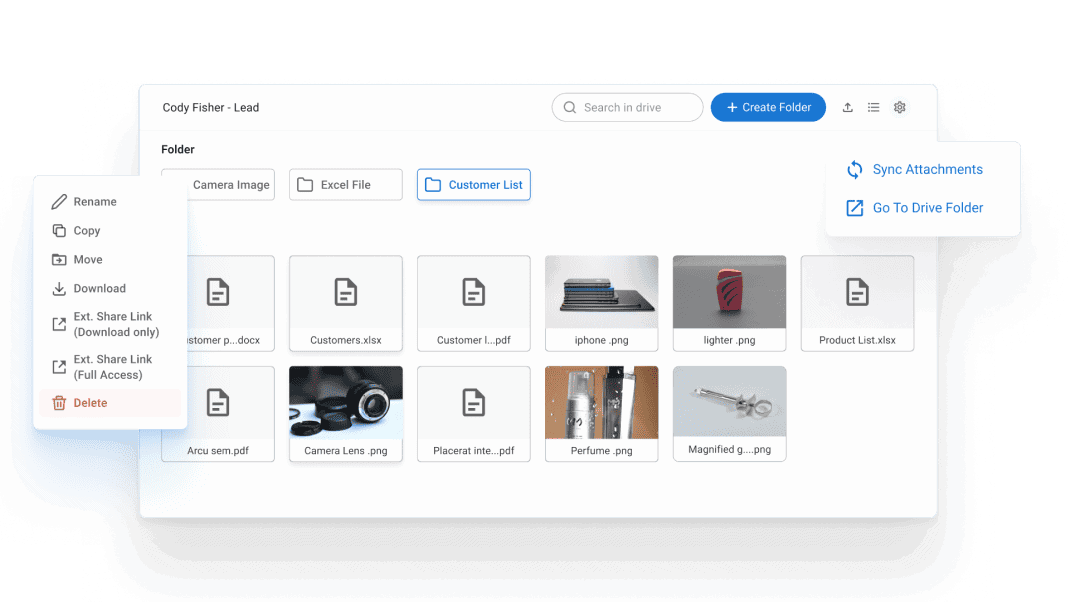
By integrating Workdrive with ZOHO CRM, you can perform day to day operations inside ZOHO CRM without going to Workdrive. Folders are created using workflow trigger and can add Multiple Folders Structure based on specific requirements. It enables you to have most of the related features of Workdrive inside ZOHO CRM. You do not need to Create Folders on Record Create, you can set up workflow and define how Folders and Created and Where to save the ID for further use.

All Module Support
Our extension is compatible with both the standard and custom modules of Zoho CRM, providing seamless integration and ensuring smooth functionality across your entire CRM platform.

Customizable Settings
Adjustable settings that can be customized to suit individual preferences and requirements.

Intuitive Design
With its intuitive design, accessing and managing your files within Zoho CRM becomes effortless, enhancing your overall user experience.

High Performance
Designed with a focus on performance, enabling rapid execution of tasks and workflows
Common Document Problems — And How We Fix Them
What Users Struggle With
- Files scattered everywhere, impossible to find
- Manual folder creation wastes hours weekly
- Constantly switching between CRM and WorkDrive
- CRM storage limits hit fast, forcing file deletion
- Messy, inconsistent folder structures across teams
- Version control chaos and lost file changes
How Our Extension Helps
- Centralized WorkDrive storage synced with every CRM record
- 100% automated folder creation using workflow triggers
- Manage all files directly inside Zoho CRM interface
- Unlimited WorkDrive storage with automatic attachment sync
- Standardized folder templates applied automatically
- Built-in version history, collaboration, and secure sharing
See How It Looks
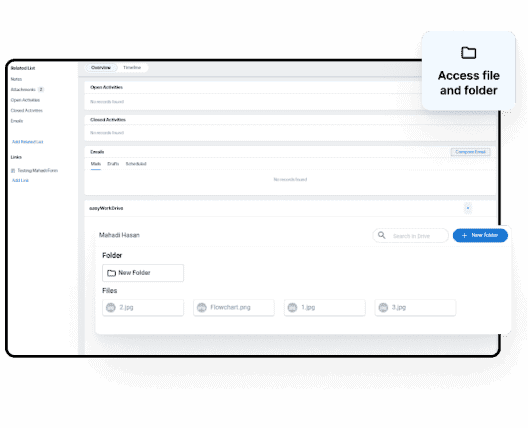
Access Files And Folders In CRM
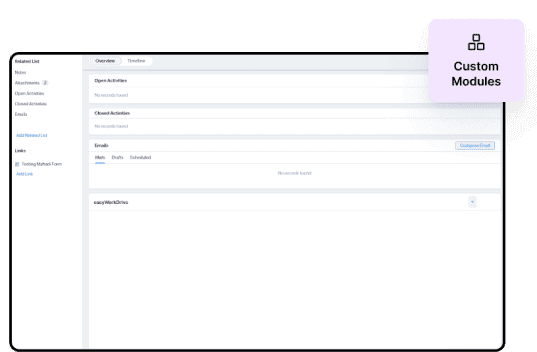
Supports Custom Modules
Access and manipulate your Zoho Work Drive files and folders seamlessly from within Zoho CRM for Custom Modules
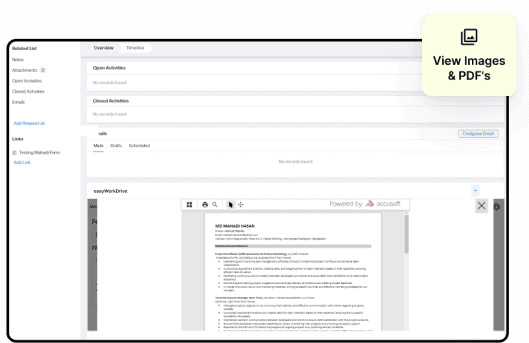
View WorkDrive Images & PDF's
View Zoho Workdrive images and PDFs directly from within your CRM. No more hassle of downloading or opening separate applications – simply access and preview your files seamlessly within your CRM.
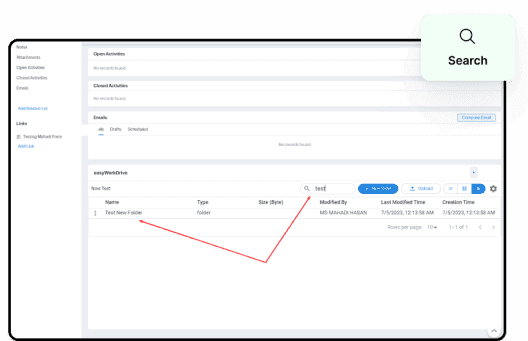
Search For Files And Folders
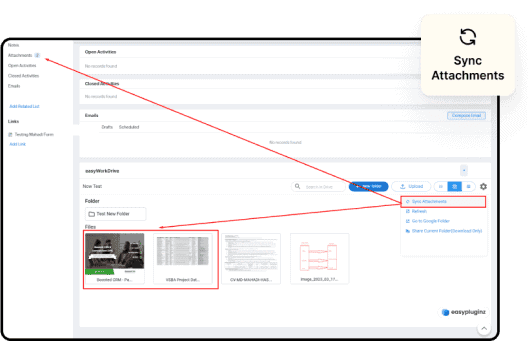
Sync Zoho CRM Attachments
View Zoho Workdrive images and PDFs directly from within your CRM. No more hassle of downloading or opening separate applications – simply access and preview your files seamlessly within your CRM.
Custom Action
Pricing
We offer flexible pricing options to suit your needs. Choose the plan that works best for you:
Monthly Plan: For only $10 per month, you can enjoy full access to all the features and benefits of our extension. This option provides you with the flexibility to pay on a month-to-month basis, ensuring you can scale and adapt your subscription as your business evolves.
Yearly Plan: Opt for our yearly plan at $100 per year, and save even more on your subscription. With this option, you’ll receive the same comprehensive features and benefits, while enjoying a discounted rate for committing to an annual subscription. It’s a cost-effective choice for those who are ready to make a long-term investment in our service.
Trusted by
Customers Worldwide
We are really happy with this extension. Emran has been super helpful every step of the way!
My companies have been using the Wordrive extension for Zoho CRM for a couple years now, and it's a solid product. It does what it needs to do - it connects your CRM to Workdrive and automates the process so every record has a much nicer 'attachments' area than the built in attachment related list. It's not a shocking, life changing thing, but it's slick, it does what it is supposed to do, and we are very happy with it. What IS 'shocking' is the responsiveness and support from the developer behind this plugin. I don't know if it's one guy, or a huge outfit, but I know the only two times I've had minor issues or questions, I've gotten responses almost immediately, with a schedule link to set up an online call on the same day. If you have ever had to rely on Zoho's internal support, which isn't bad for a huge company - to be fair, you'll appreciate a developer that values their customers like this. I wish they made more products or did consulting. I could not be more impressed with the level of service from Insta Web Works.
The WorkDrive for Zoho CRM extension has been a game-changer for our workflow. It integrates seamlessly, works flawlessly, and the support team is exceptionally responsive and helpful. Highly recommended for anyone looking to streamline document management within Zoho CRM and Workdrive.
Frequently Asked Questions
Check out these frequently asked questions to empower yourself. Should your query not be addressed, please use the enquiry form below to contact us.
What are the features?
Default Features Overview
After Installation and Authentication, the application provides a set of default features that are available by default. These features include:
Workdrive Folder Creation: Upon creating a record for Leads, Contacts, Accounts, Deals, or Campaigns, a corresponding Workdrive folder is automatically generated. This folder serves as a centralized location for storing associated files and documents.
Related List Widgets: The application offers Related List widgets in the Leads, Contacts, Accounts, Deals, and Campaigns modules. These widgets enable users to perform various actions on the associated Workdrive folders. Actions include viewing, creating, deleting, copying, moving, sharing, and uploading files and folders.
Additional Features
The application also provides additional features that can be extended to enhance its functionality. These additional features include:
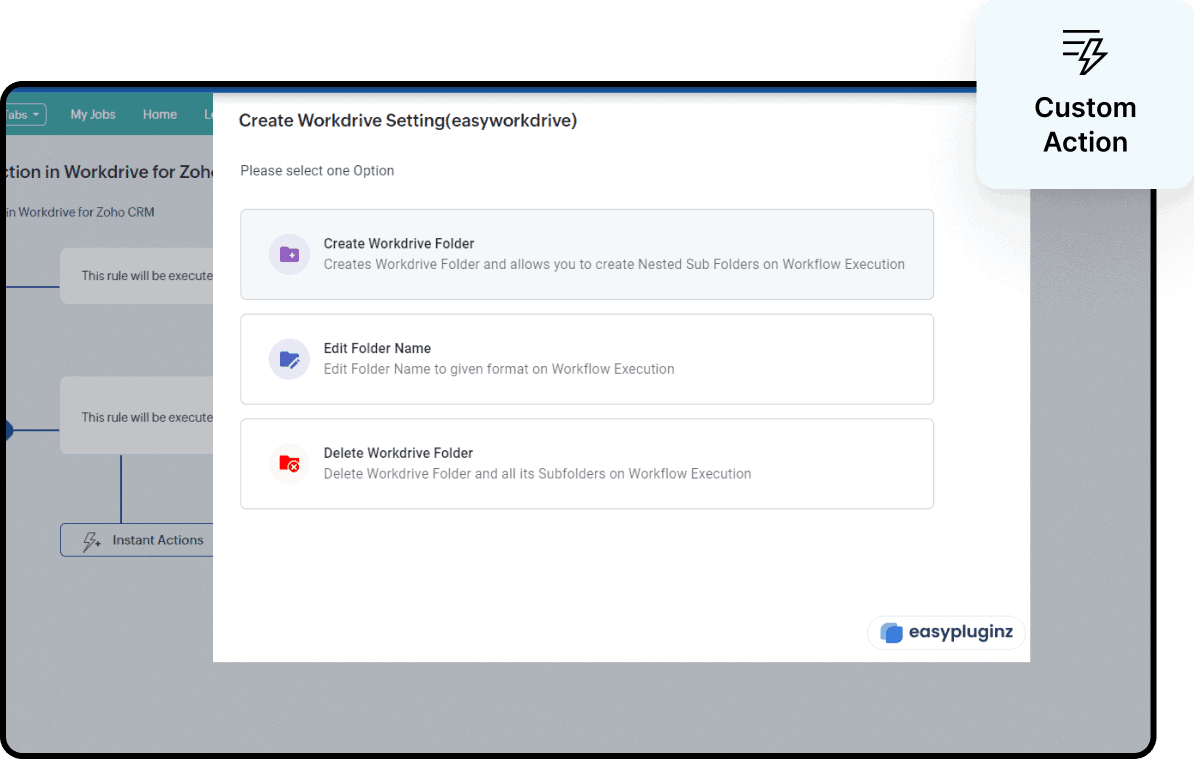
Workflow Assignment: Users have the option to assign the Workdrive functionality within workflows for any module. This extension enables users to create folders, edit folder names, and delete folders directly through workflow actions.
Related List Integration: The Workdrive functionality can be seamlessly integrated as a Related List to any custom module. This integration allows users to visualize Workdrive folders and perform different actions within them, providing flexibility and customization.
Public Share Link Generation: The application facilitates the generation of public share links for Workdrive folders. Users can create these links either through workflow actions or directly from the Related List widget. This feature simplifies the process of sharing files and folders with external stakeholders.

Can I use it for all modules?
Yes, Our extension supports all modules including custom modules.
Can I get support?
Certainly! Our team is always available to provide you with the support you need. We believe in delivering exceptional customer service and strive to ensure that all of your questions and concerns are addressed in a timely and efficient manner. Whether you need help with a technical issue or just have some questions about our services, our support team is here to assist you every step of the way. Don’t hesitate to reach out to us, we’re here to help!
Will Your Extension support my Zoho CRM?
Compatible Editions
- Standard
- Professional
- Enterprise
- CRM Plus
- Zoho One
- Ultimate
Can I ask for more features?
Yes, You can email us at support@instawebworks.com.au
Ready to Automate Your CRM File Management?
Join 1.4k+ teams using WorkDrive for Zoho CRM to save time and stay organized. Start your free 10-day trial today—no credit card required.